Books
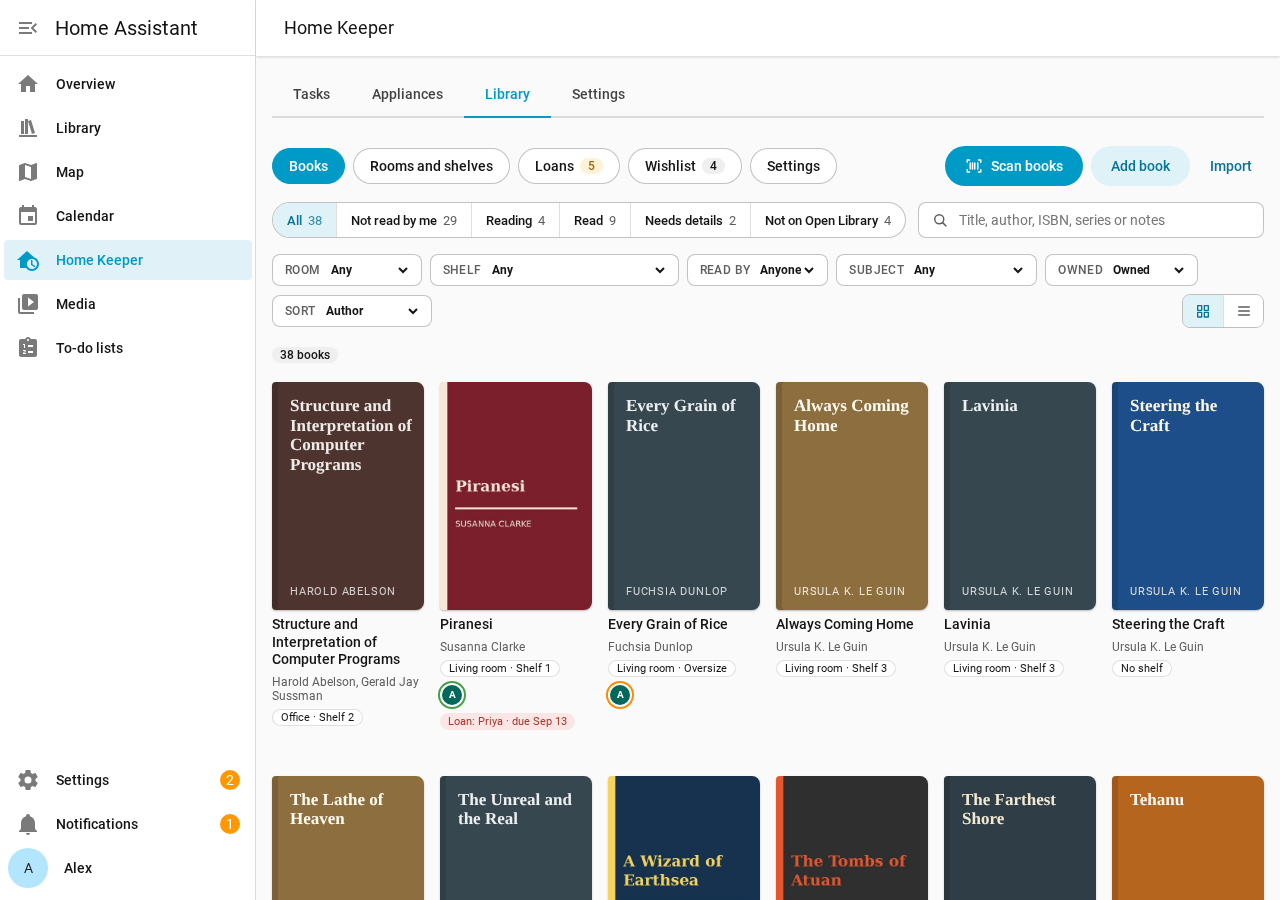
The Books page of the Library tab lists the books of the library, with a search and filters. Use it to find a book and its shelf, or to see what a person has read.
Search
Type in Search books. The search reads the title and the authors of each book, and also the ISBN, the series, the tags and the notes.
Filters
| Filter | Values |
|---|---|
| Status | All, Not read by me, Reading, Read, Needs details, Not on Open Library |
| Room and Shelf | The books with a copy in that place |
| Read by | The books that a person has read |
| Subject | A subject from Open Library |
| Owned | Owned, Not owned or All books. The default is Owned. |
| Sort | Author, Title, Date added, Year published, My rating |
The status filters show the status of your own person. Needs details shows the books that have no details from Open Library yet. Not owned shows the books with no copy, such as library books that a person read, and the wishlist.
An admin also sees Not on Open Library if 1 or more books have this mark. It shows the books that Open Library does not have, with Send to Open Library and Skip on each row (Send books to Open Library).
Select Clear filters to show all books again. Each filter is in the address of the page, so a bookmark keeps the filters.
Layout
Select Cover grid or Rows in Layout. The rows show more books on 1 screen.
Add a book
- Select Scan books to scan books into a shelf.
- Select Add book and enter an ISBN or a title. With Get details from Open Library, the library fills the details from the ISBN. You can add a copy to a shelf in the same step.
- Select Import to import a Goodreads or StoryGraph file.
If a book with the same ISBN is in the library, the library shows that book and adds no second book.
Phone
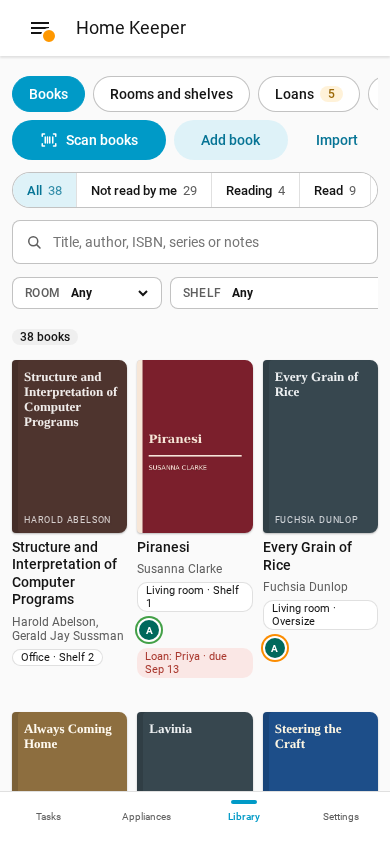
The Books page works at phone width.