Wishlist
The library supports a wishlist for each person. The wishlist holds the books that the person wants to get. A wishlist book with Buy set goes on a to-do list of that person as "Title by Author".
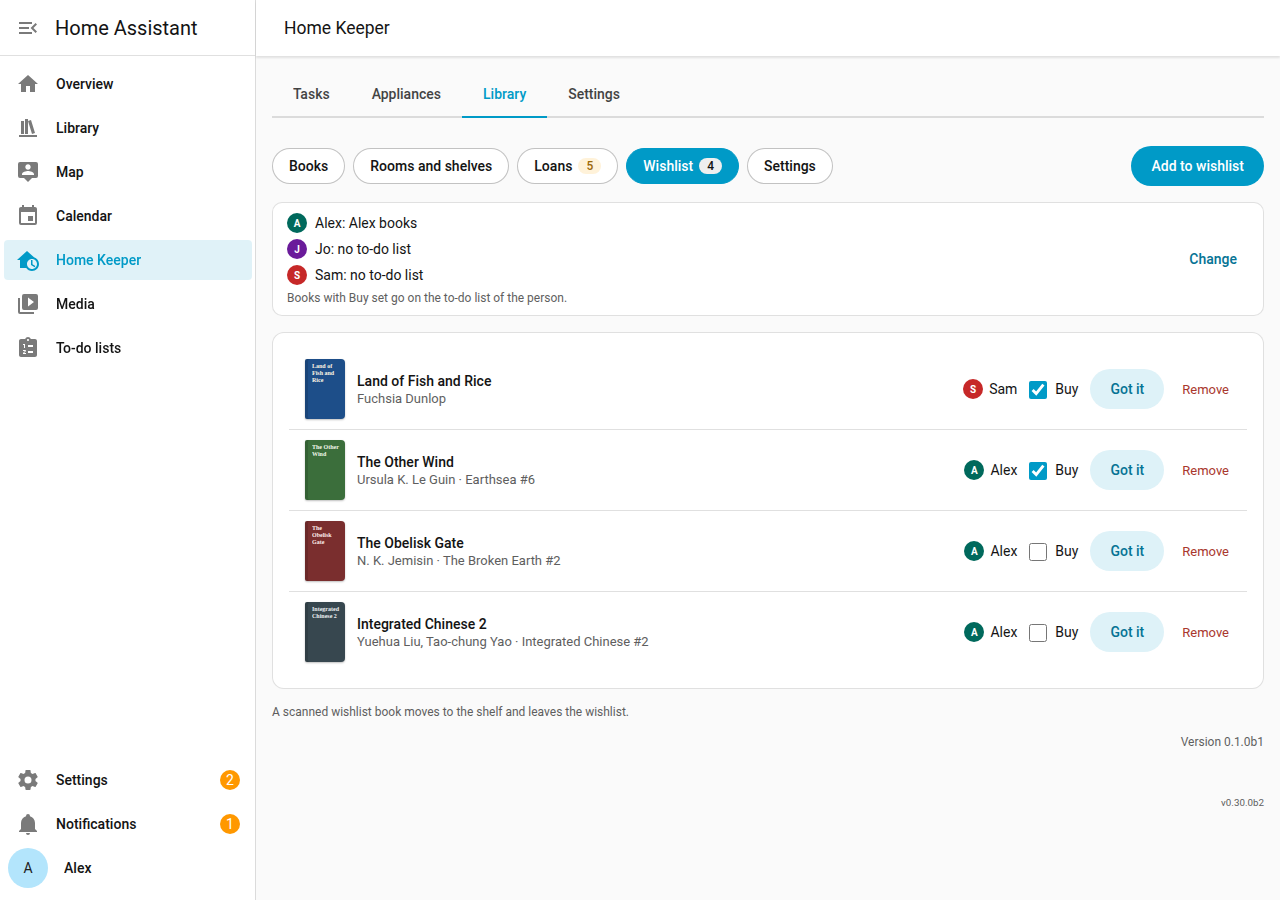
Add a book to the wishlist
- Open the Wishlist page of the Library tab, and select Add to wishlist.
- Enter the ISBN or the title, and select the person.
- Set Buy if the book must go on the to-do list now.
- Select Save.
You can also select Add to wishlist on the detail page of a book. A book is on the wishlist of 1 person at a time. A Goodreads or StoryGraph import puts each "to-read" book with no owned copy on the wishlist (Import and export).
Got it
When the book arrives, select Got it and select the shelf and the format. The library adds a copy and removes the book from the wishlist.
Per-person to-do list
An admin selects the to-do list of each person in the Settings page, in Wishlist
to-do list. The list must be an existing todo entity. It is not the shopping list of
Home Keeper, unless you select that list.
- A book with Buy set gets 1 item on the list of its person.
- When the person completes the item, the library marks the book Bought.
- When Buy turns off or the book leaves the wishlist, the library removes the item.
- If a person deletes the item from the list, Buy turns off. Set Buy again to put the item back.
- The library never changes a completed item.
The library checks the lists after each change and every 10 minutes. If a list is not available, the library tries again later and removes no item.