Disabled tasks
Disable a task from an automation, and enable it again later. Everything recorded on it stays, and Home Keeper stops asking for it. Use this for work that belongs to part of the year where an active season does not fit because the dates are different each year.
A pool is the example. It opens and closes when the weather says so, not on a date.
Many users already have an input_boolean helper that says whether the pool is
open, and it drives the pump and the dashboard. An automation can make it drive the
pool tasks too.
What a disabled task does
A disabled task stays in Home Keeper with everything recorded on it. Home Keeper takes it out of every place that asks for work:
- the to-do list and the calendar
- its buttons and sensors on the device page
- every profile, and so every notification
- the overdue and due-soon announcements
- the dashboard card, unless the card sets
show_disabled - an NFC tag scan, which cannot complete it
The due date does not move. A task disabled in October is as late in April as its stored date says. The section below shows how to come back to a clean date.
Disable a task from an automation
The panel has no control to disable a task. Use the
home_keeper.update_task action, with enabled. This automation follows a helper,
so 1 switch controls every pool task:
alias: Pool tasks follow the pool
triggers:
  - trigger: state
    entity_id: input_boolean.pool_open
actions:
  - repeat:
      for_each:
        - backwash_the_filter
        - test_the_chemicals
        - skim_the_surface
      sequence:
        - action: home_keeper.update_task
          data:
            task_id: "{{ repeat.item }}"
            enabled: "{{ trigger.to_state.state == 'on' }}"
The task ids are on each task's page in the panel. A task name works too.
Come back to a clean due date
With an active season, the due date moves forward to the start of the next window. A disabled task keeps the date it had, so it comes back as late as it was left.
To get the same clean start, pair the enable with due today. Add this to the automation above:
        - if:
            - condition: template
              value_template: "{{ trigger.to_state.state == 'on' }}"
          then:
            - action: home_keeper.set_due_today
              data:
                task_id: "{{ repeat.item }}"
Find a disabled task again
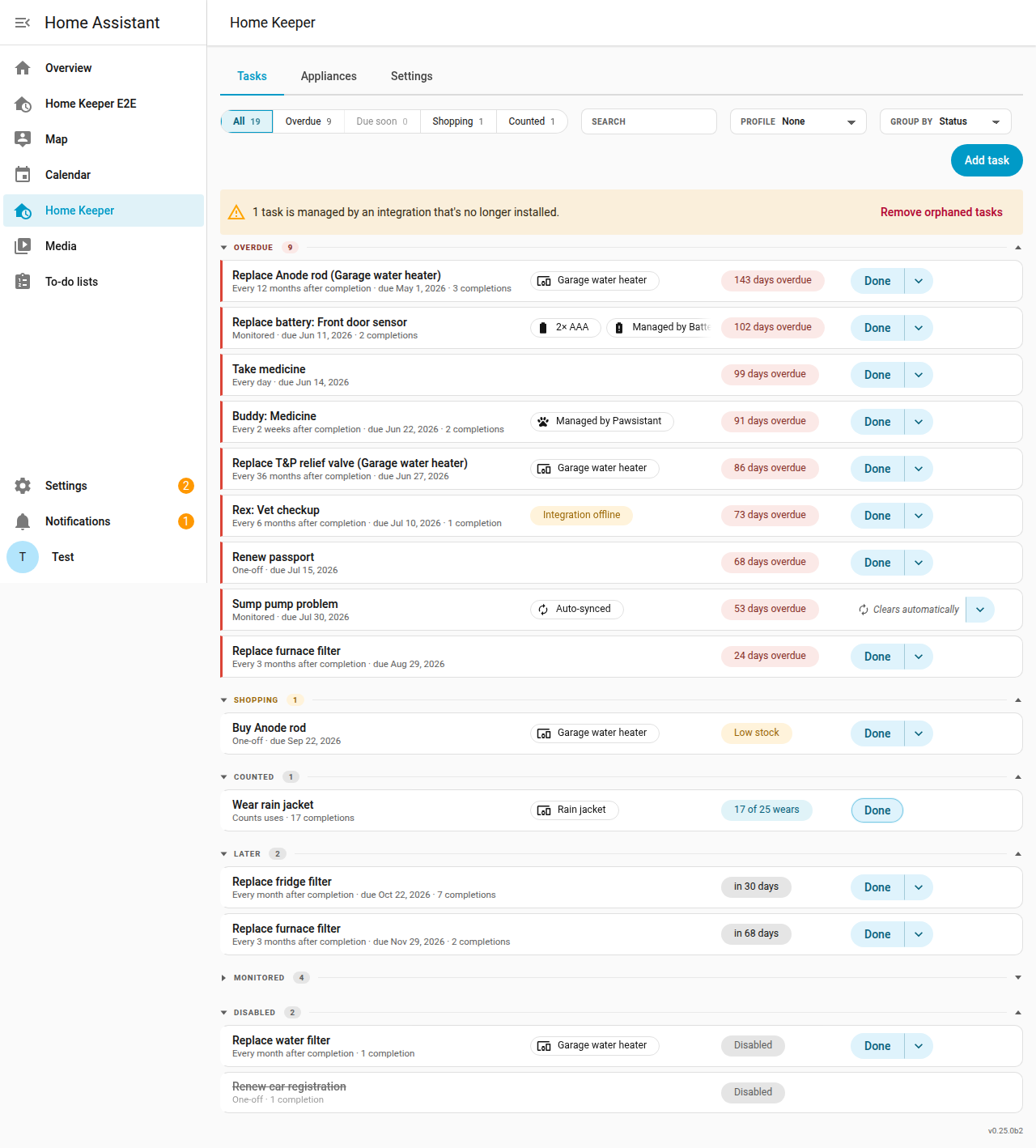
A disabled task is not counted on the Overdue, Due soon, Shopping or Counted filters. It is on the All filter, under a Disabled section, with a Disabled label in place of its due date.
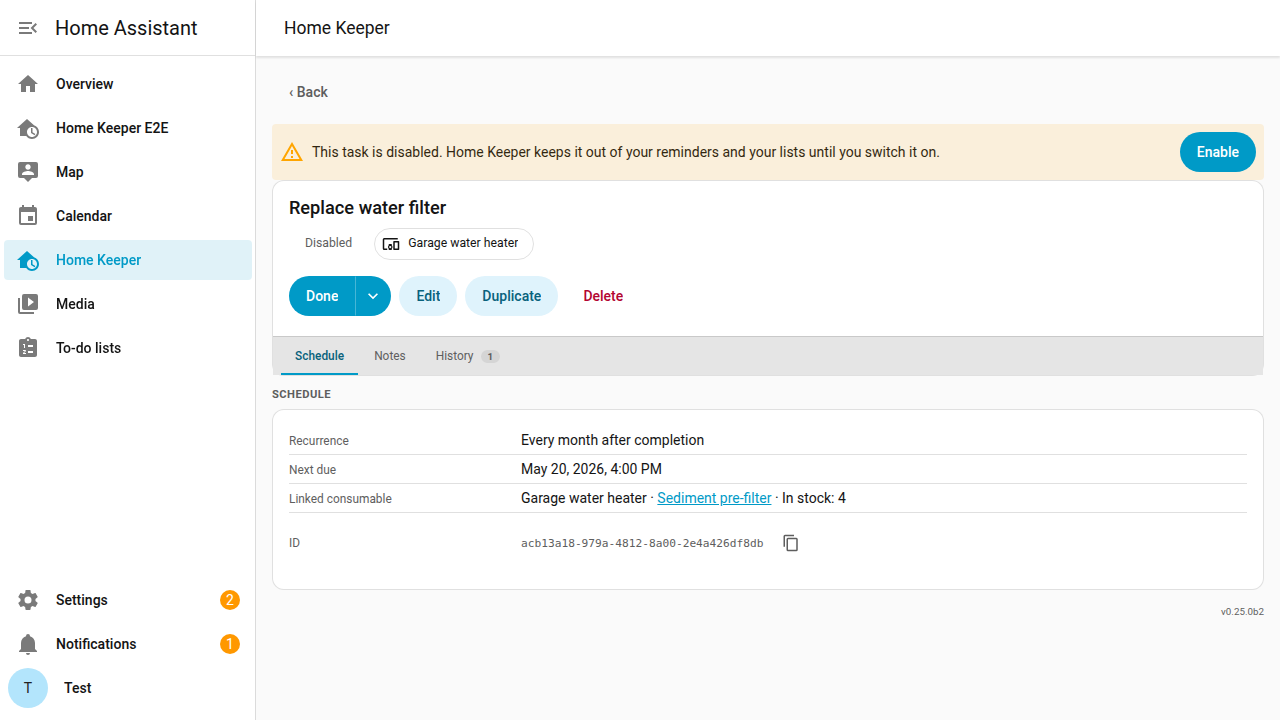
Open it and select Enable to enable it again. This is the only control the panel offers. A service call is what disables a task.