Settings
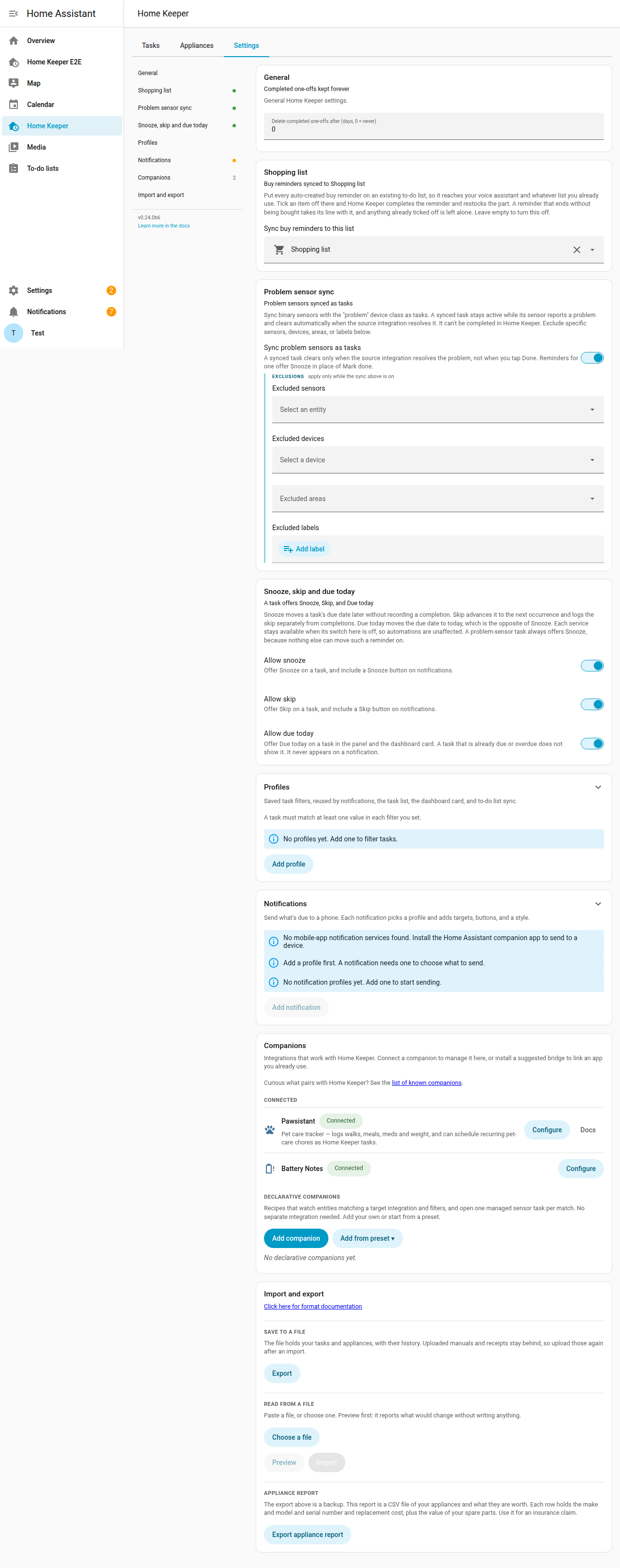
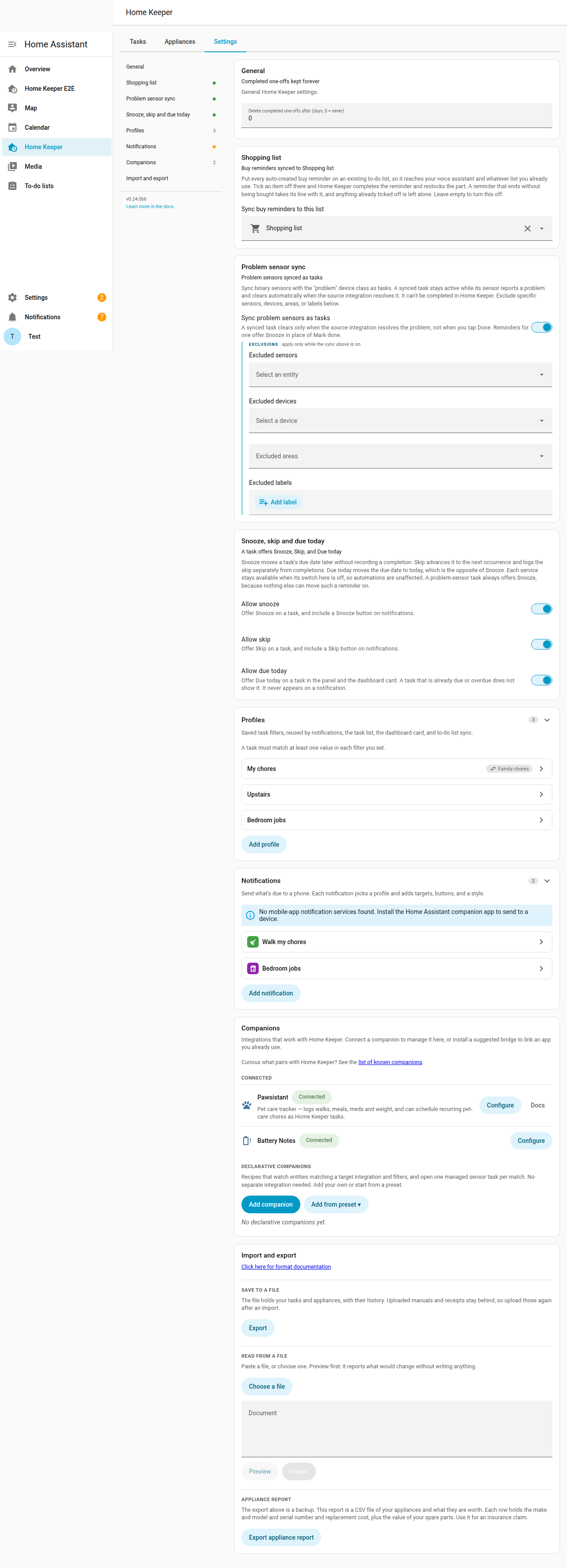
The Settings tab in the panel edits the integration options. The form matches the
Home Assistant options flow and saves each change immediately. The same options are
available in the options flow under Settings → Devices & services → Configure and
through the home_keeper.set_options service.
The tab has 7 sections:
- General sets how long completed one-off tasks are kept.
- Shopping list selects the to-do list that buy reminders are synced to.
- Profiles holds the saved filters. See Profiles.
- Notifications holds the notification configurations. See Notifications.
- Problem sensor sync has the sync switch and the exclusions for entities and devices and areas and labels. The exclusions apply only when the sync is on.
- Companions lists the integrations that work with Home Keeper.
- Import and export saves your data to a file and reads a file back. It also holds the appliance report. See Import and export.
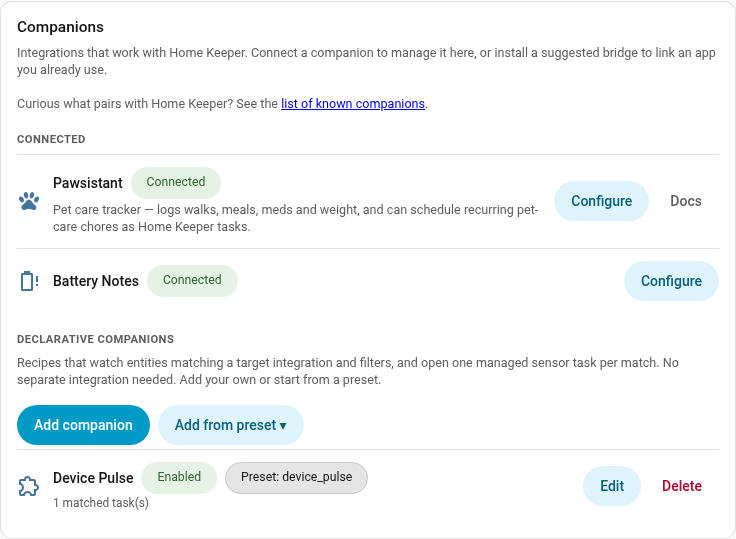
Companions
A companion is an integration that works with Home Keeper. Examples are a pet-care tracker that creates recurring tasks and a glue integration that turns a low battery into a replacement task. The Companions section at the end of the Settings tab lists them in 2 groups:
- Connected lists the companions that registered themselves with Home Keeper. Examples are Pawsistant and the Battery Notes glue integration. Each row has a Configure button that opens the companion's own page.
- Suggested lists popular integrations that Home Keeper detects from a catalog and that have no glue integration installed. An example is Battery Notes. Each row has an Install link and a Dismiss button.
To add a companion or a glue integration to the catalog, open a GitHub issue.
Declarative companions (config-driven, no separate integration)
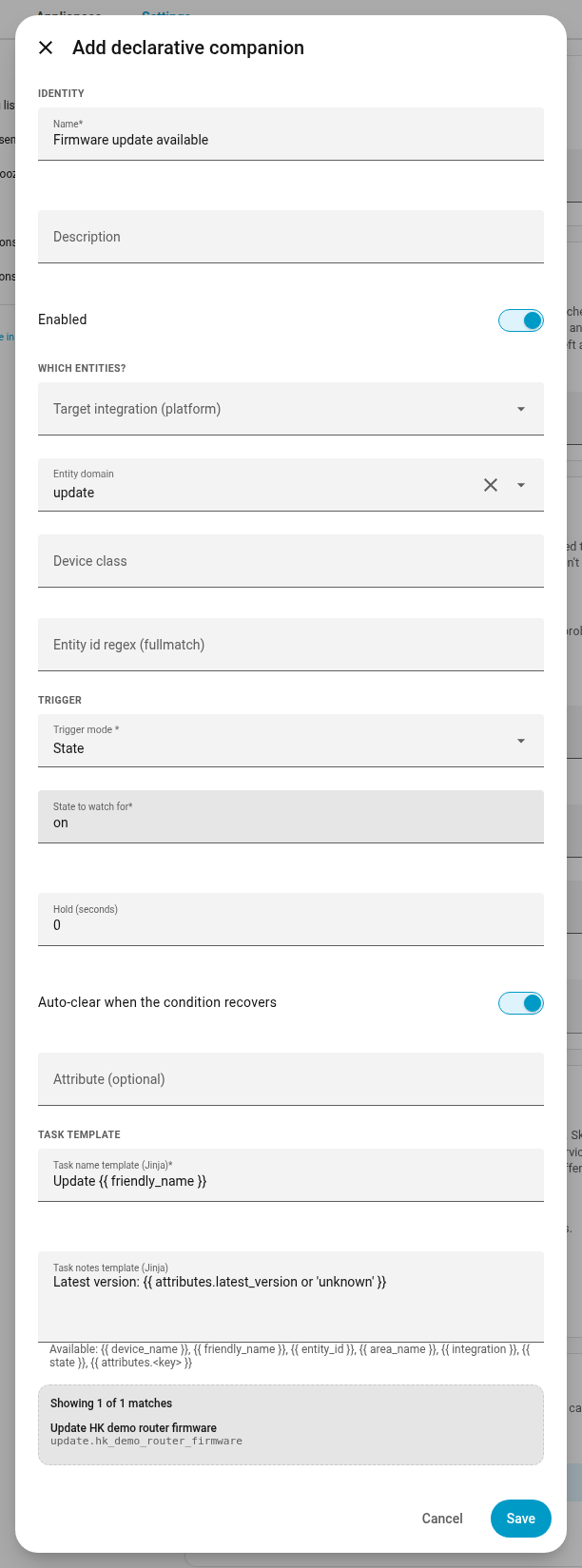
A declarative companion is a recipe. The recipe targets an integration, or it matches entities through an entity id filter. The recipe sets a trigger mode: usage, threshold, state, or availability. The recipe also sets a Jinja template for the task name and the task notes.
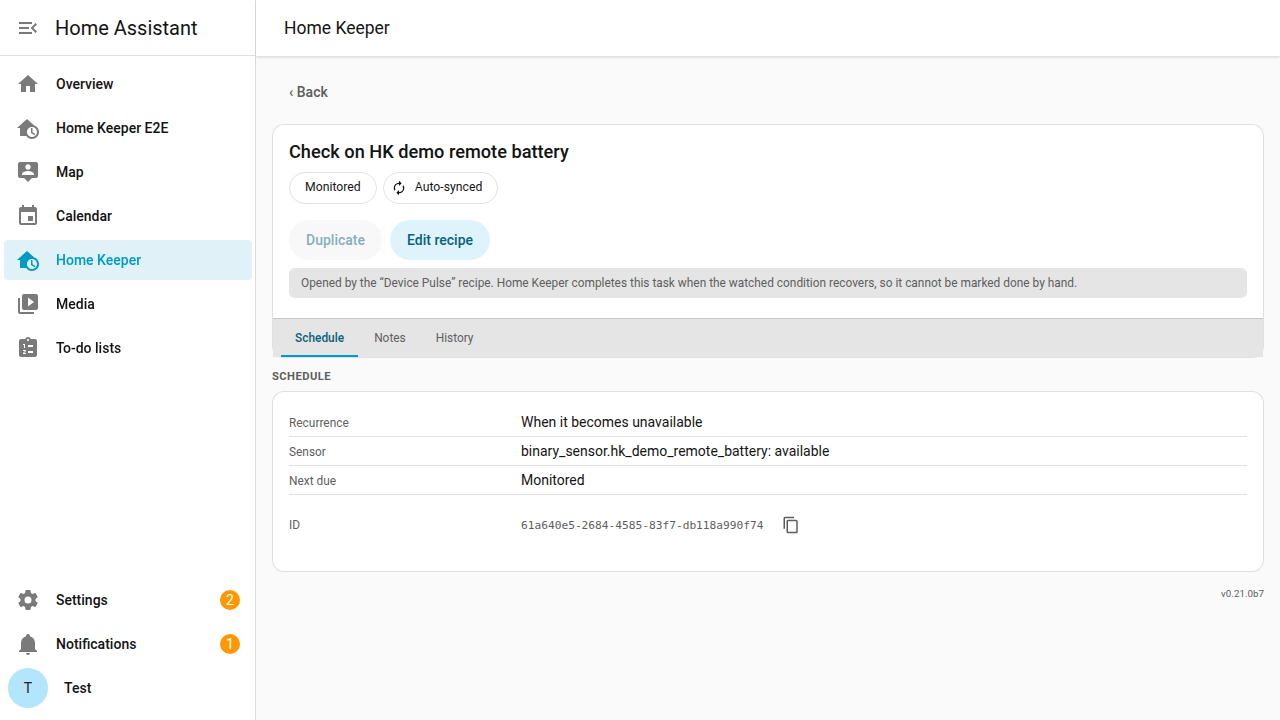
Home Keeper opens one managed task for each entity that matches the recipe. The task clears when the condition recovers. A task that a recipe made has an Edit recipe button on its detail page. The button opens the recipe that made the task.
Each task that a recipe makes is a sensor-based task, so it has no due date until its condition is true. A task with no due date shows as Monitored and stays off the to-do list and the calendar. When the condition becomes true, Home Keeper sets the due date to that moment, so the task is due now and then overdue. The age of an overdue task shows how long the condition has been true. In the Firmware update available preset, a device with an update pending shows an overdue task, and a device with no update pending shows Monitored. All bundled presets complete the task automatically when the condition recovers, so those tasks offer no Done button.
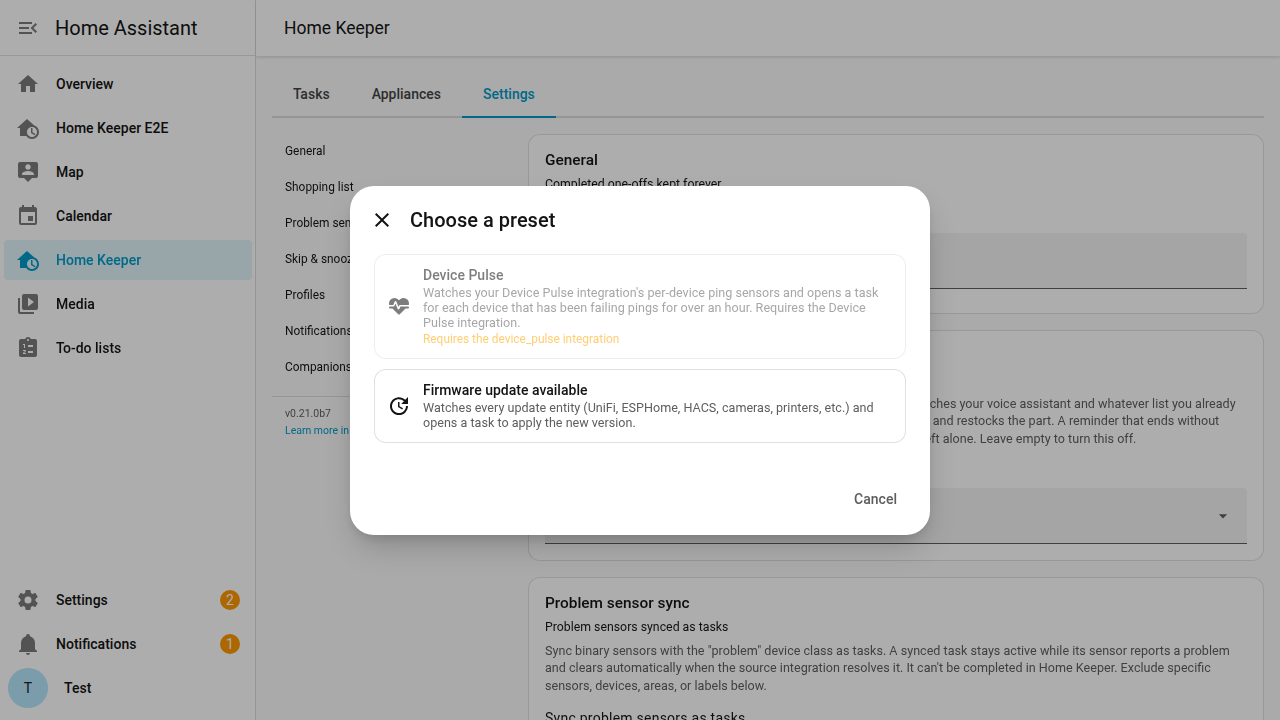
The Add from preset picker offers 2 presets.
- Device Pulse targets the per-device ping sensors from studiobts/home-assistant-device-pulse. The Device Pulse integration must be installed.
- Firmware update available matches every
update.*entity that reportson. This covers UniFi, ESPHome, HACS, Reolink, and Bambu Lab.
Low batteries have no preset. The Battery Notes glue
integration already opens a task for each battery and
also supplies the battery type and the count. Write a recipe for a low-battery
binary_sensor if you do not use that glue integration.
The Add companion dialog shows a live preview of the matches before you save. A warning shows above 50 matches. A recipe cannot match more than 500 entities. See INTEGRATING.md for the service reference.
A recipe you switch off keeps the tasks it made. The tasks stop until you switch the recipe on again. Their history stays with them. Delete the recipe to remove its tasks.
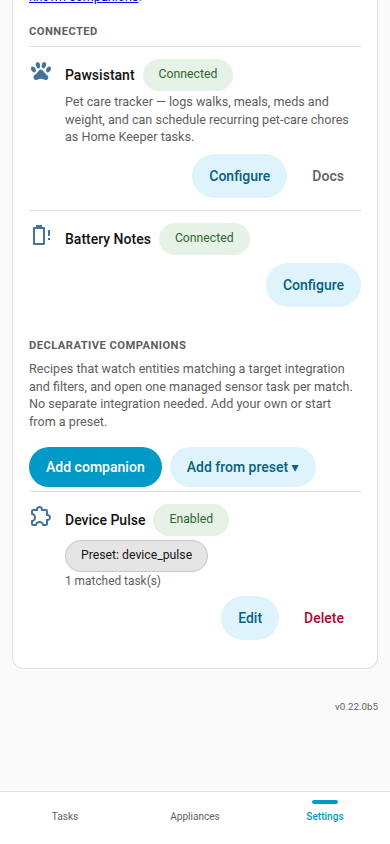
Each recipe gets a row under Settings → Companions with an Edit button and a Delete button. On a phone the row stacks, and the buttons take a line of their own.