Import and export
Home Keeper reads and writes its data as one file. Use it to move to another Home Assistant, or to keep a copy of your own. Use it also to bring in records you keep in a spreadsheet or an old app.
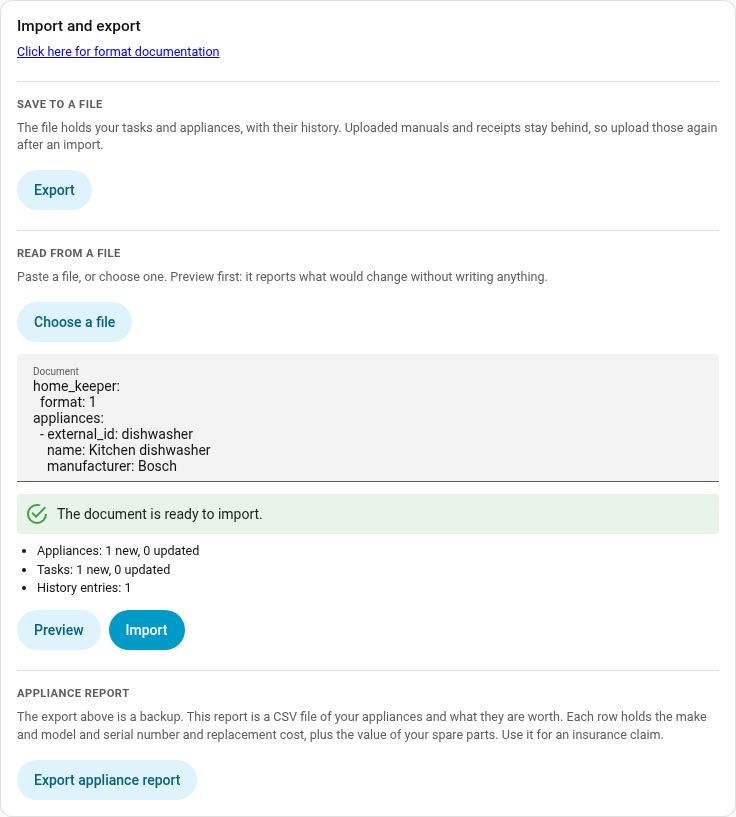
Settings → Import and export has both halves.
- Export saves every task and appliance, with the history, as a YAML file.
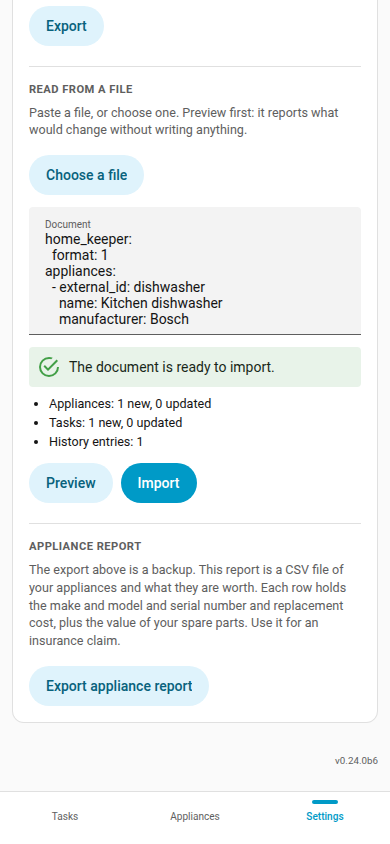
- Import reads such a file. Paste it, or choose it from disk, then press Preview. Preview only reports what would change. Import stays off until a preview of that exact text comes back clean.
Both halves are also actions, so a script or an automation can call them:
home_keeper.export_data and home_keeper.import_data. Both are admin-only.
The same card holds the appliance report, which answers a different question. See below.
The file
An export is also a worked example. The file it writes is the file import reads, so one export shows you the whole format:
home_keeper:
  format: 1

appliances:
  - external_id: furnace
    name: Furnace
    area: Basement
    manufacturer: Carrier
    model: 59TP6A
    serial_number: "1234-5678"
    cost: 4200
    parts:
      - name: Filter
        part_number: FILXXFCC0021
        type: consumable
        stock: 2
        reorder_at: 1

tasks:
  - external_id: furnace-filter
    name: Replace furnace filter
    appliance: furnace
    interval: 3
    unit: months
    notes: MERV 13 only.
    history:
      - completed_at: "2026-03-04"
        note: Used a MERV 13
        cost: 24.50
      - completed_at: "2025-12-01"
    skips:
      - skipped_at: "2025-09-01"
        note: Away
A record takes the same fields as the action that creates it. A tasks record is
an add_task payload. An appliances record is an add_asset payload. The
API reference
lists every field of both, so it documents the file as well.
The same fields also have a JSON Schema. Every export names it on the first line, so an editor such as Visual Studio Code checks the file and completes the field names as you type. Home Keeper builds the schema from the code, so it always matches the version you run.
A record also takes these fields:
| Field | Applies to | What it does |
|---|---|---|
external_id | both | Your own name for the record. See below. |
area | both | An area name. A stated area_id wins. |
appliance | tasks | Which appliance the task belongs to, by external_id, name, or id. A stated device_id wins, if that device is on this Home Assistant. |
history | tasks | Past completions. Each entry needs completed_at, and can add note, cost, who, photo. A usage or threshold task can also add reading. |
skips | tasks | Past skips. Each entry needs skipped_at. |
parent_asset_id | appliances | The appliance this one sits under, by external_id, name, or id. List a parent before its children. An appliance cannot sit under itself, through one link or a chain of them. |
archived | appliances | true for an archived appliance. |
A reading on any other task is an error. Preview names any entry field it does not
read, then ignores it.
Dates can be a plain 2026-03-04 or a full timestamp. History is read in date order,
whatever order you write it in.
If you write a file by hand, put quotation marks around a text value such as no,
on or NO. Home Keeper reports an error and names the field if you forget. Add
quotation marks and import the file again. Indent with spaces, because YAML does not
accept a tab.
A JSON file also imports, because YAML accepts JSON. Indent it with spaces.
How a record finds its match
Import creates a record, or updates the one it already has. It decides which in 3 steps, and stops at the first that matches:
id, Home Keeper's own id. Every export includes it, so re-importing an export updates the same records.external_id, the name you choose. Set this one in a file you write yourself, because it makes a second run update the same records instead of making a copy of everything. Anexternal_idnames one record, so 2 records in one file cannot share one. If they do, you get an error that names both.name, an exact match first, then one that ignores case and spaces.
Home Keeper creates a record that matches no stored record. When a name matches 2
records you get an error that names both, because Home Keeper does not guess which one
you meant. To create every record and match no stored record, pass match: none to
home_keeper.import_data.
An update only changes the fields the file states. Fields it leaves out keep the value they have.
Import/Export Limitations
The file does not hold every record. What an export leaves out is listed in its own
home_keeper block, and the preview names every field that Home Keeper did not read
on the way back in.
- Uploaded manuals and receipts. A text file has no room for a picture or a PDF, so upload those again after an import. A link to a document is only text, so it stays.
- Tasks that another part of Home Keeper owns, such as a wear part's replacement reminder, a buy reminder, a problem-sensor mirror, or a recipe's task. Home Keeper builds these again from the appliance and its parts, which the file does include. A counted wear item keeps its count. The count is on the part, because the 2 tasks that use it are not in the file.
- Tasks created by companions.
- Settings, profiles, notifications and recipes. These stay in the config entry.
How big a file can be
The panel and the service each hold their own limit.
| Path | Limit | Reason |
|---|---|---|
| Paste or choose a file in the panel | 4 MB | Home Assistant's own limit on a websocket message. Home Keeper cannot raise it. |
Call the home_keeper.import_data service | 8 MB | Home Keeper's own limit on that service. |
A file between 4 MB and 8 MB must go through home_keeper.import_data. A file
over 8 MB must go in as several files. Each of tasks and appliances also
holds at most 2000 records.
Ask an AI agent to write one
The format is meant to be easy to generate. Export what you have, then give the file
to an AI agent with whatever holds your records now, such as a photo of a spreadsheet
or a page of notes. Ask for the same shape back as one YAML document,
with an external_id on every record. Paste the answer into the Import
box and press Preview first: it checks every record and reports each problem with
the path to it, so you can fix the file and try again. Nothing is written until the
preview is clean.
Appliance report
The export above is a backup. The appliance report is a report, and the 2 answer different questions.
Press Export appliance report, at the foot of the same card, to save a CSV file of your appliances and what they are worth. Each row holds the name and the area and the make and model and serial number and replacement cost. It also holds the value of the spare parts you hold for that appliance, which is each part's cost multiplied by its stock. A Details column holds the custom fields. The last row totals the replacement costs and the spares.
A spreadsheet opens the file, so use it for an insurance claim or for your own records. Column headings are in your Home Assistant language.
The report is also an action, home_keeper.export_appliance_report, which returns
the same rows under a report key and the CSV under a csv key. The action is
admin-only, because the report holds every serial number and purchase cost.
The report holds no field the export leaves out. An export of your appliances holds the make and model and serial number and cost and the stock of every part. It also holds every custom field, as a label and a value you can read.
What the report adds is the arithmetic, because it multiplies and totals those
values, and a shape made to read. The Details column is part of that shape: it
prints your custom fields as label: value; label: value in one cell, because a
spreadsheet column cannot hold a list. The export keeps each field separate, which
is what an import needs to read them back.
So use the export to move your data, and the report to state what you own and what it is worth.