One-off tasks
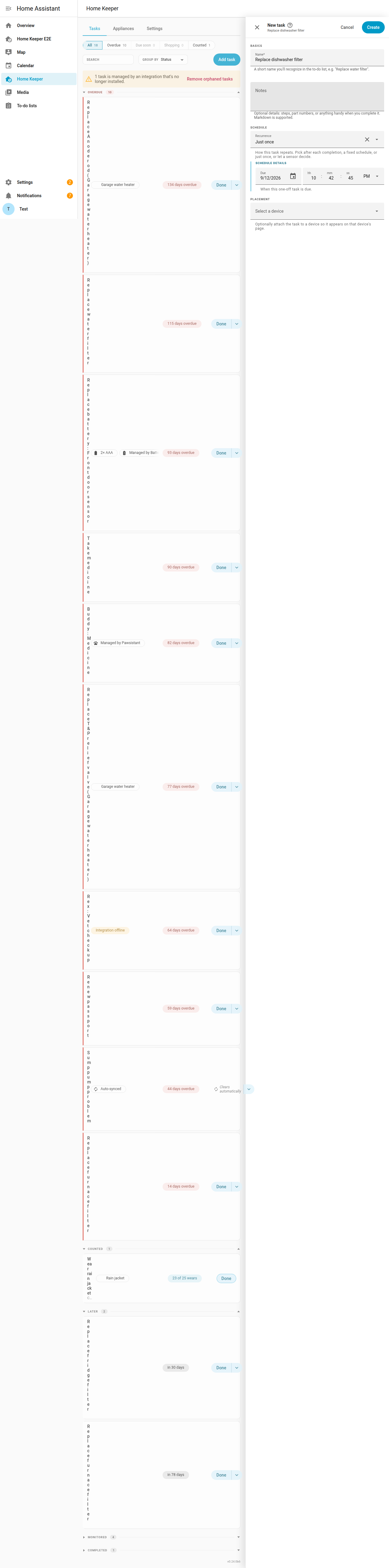
Home Keeper supports a one-off task for something a user does 1 time. This is useful for a task with no recurrence, such as renewal of a passport or registration of a car.
Select Just once on the task form and select a due date. The due date defaults to today.
A one-off task behaves like any other task until it is complete. It appears on:
- the to-do list
- the upcoming-tasks calendar
- the overdue and next-due sensors
A user can log the usual completion details:
- a note
- a cost
- who completed it
- a photo
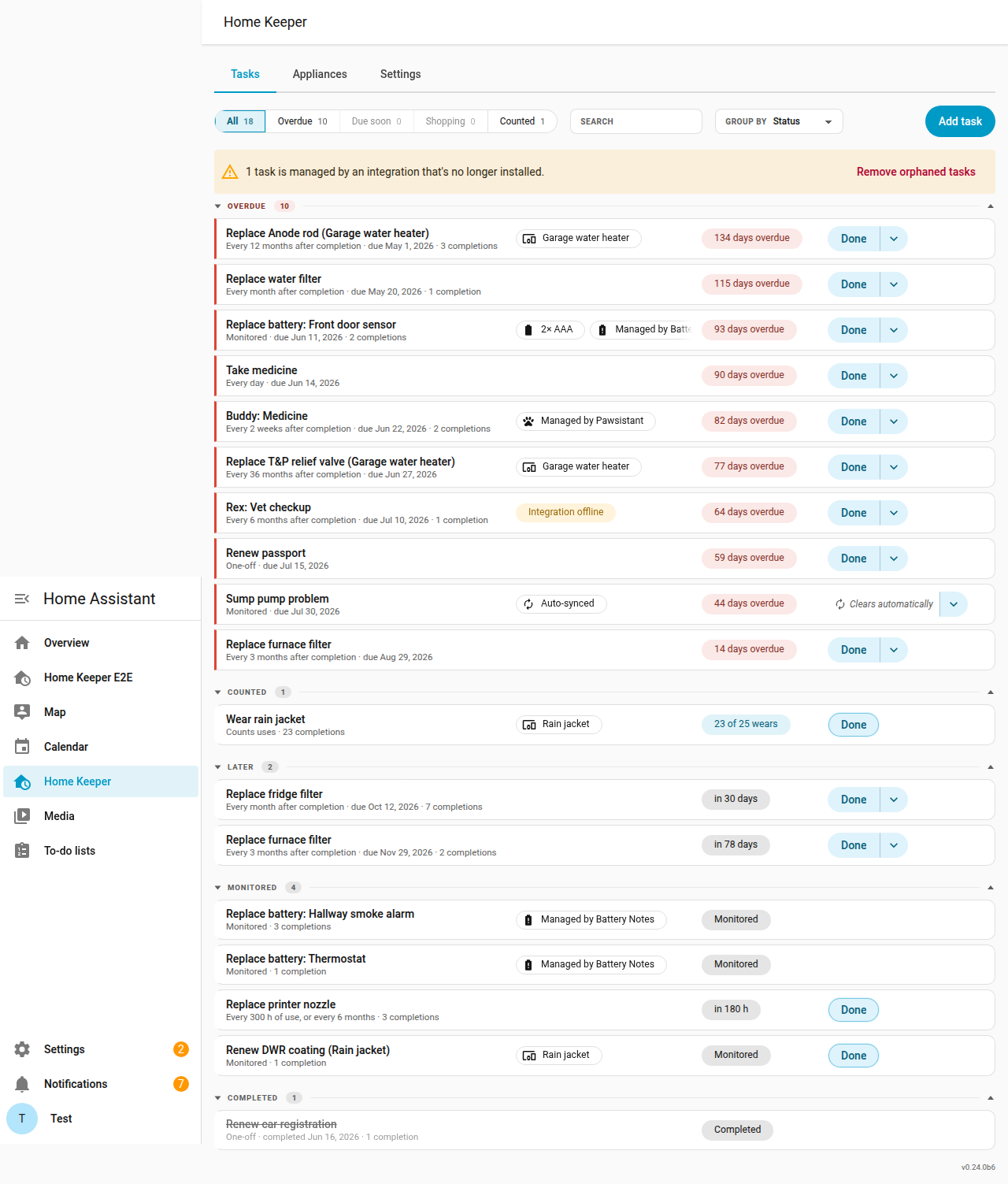
A completed one-off task does not reschedule. It is removed from the active surfaces and listed in the Completed section of the panel with its completion record. Undo the completion to return the task to its due date.
Set One-off retention (days) in the panel's Settings tab, or with the
home_keeper.set_options service, to delete a completed one-off task
automatically. A completed one-off task is deleted that many days after
completion. The default, 0, keeps a completed one-off task forever.