To-do list sync
Home Keeper supports synchronizing the tasks from a
Profile to any todo entity. This
is useful for tracking these tasks in an external to-do system that is separately
integrated into your Home Assistant setup, such as Google Tasks, Todoist, or CalDAV.
Configuration
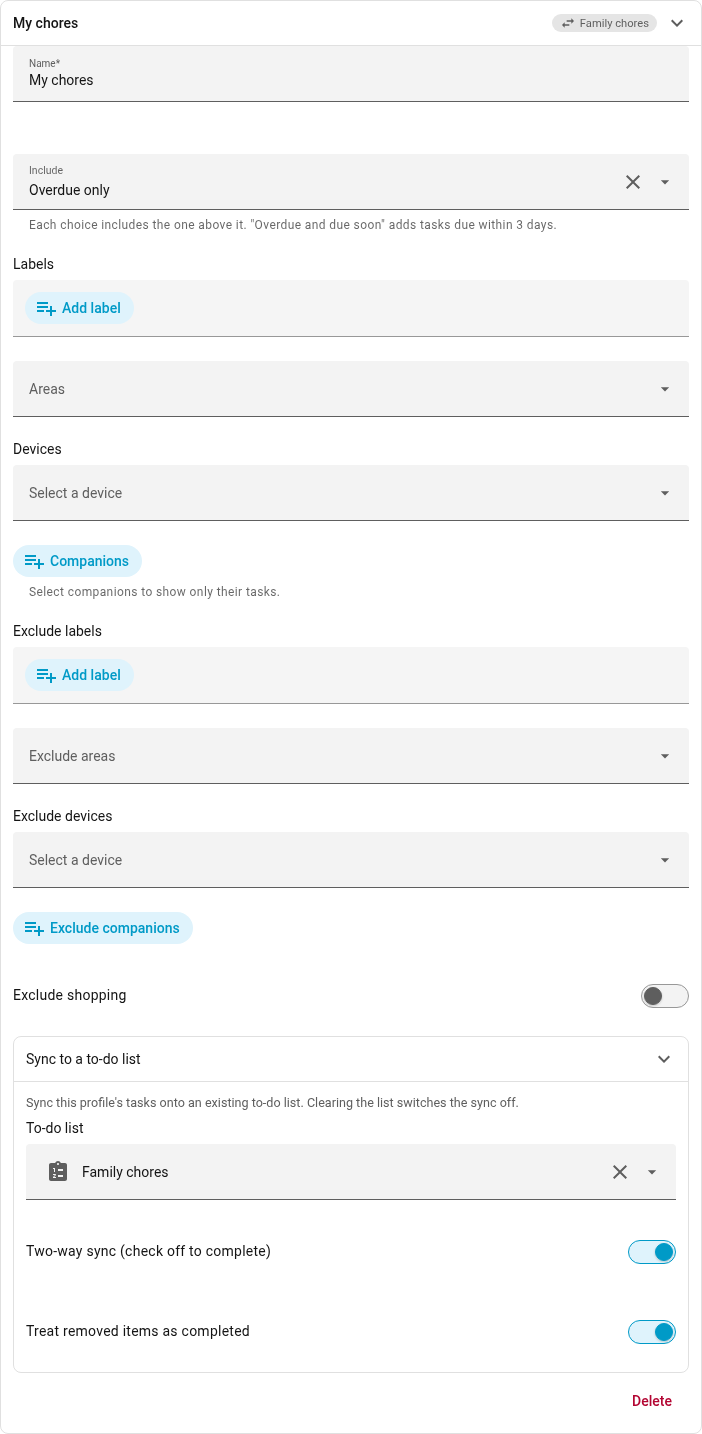
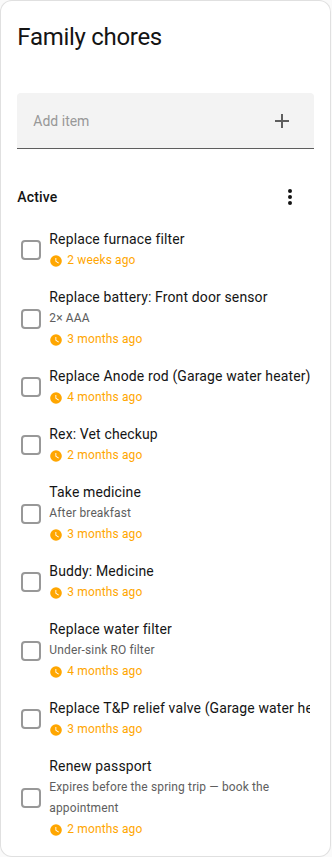
Open Settings → Profiles and expand the profile. In the Sync to a to-do list group, select a list in the To-do list picker. The profile's tasks are then added to that list. Clear the picker to stop the sync. Home Keeper then removes the profile's open items from the list.
The profile designates which tasks are synchronized to the configured to-do list. The profile's filters select the tasks. The profile's Include tier sets when a task is added to the list:
- Overdue only: when the task becomes due.
- Overdue and due soon: 3 days before the task becomes due.
- Every scheduled task: as soon as the task is scheduled.
One profile synchronizes to one list. Configure a profile per list, such as a profile per child with a different list in each.
Two-way sync
Synchronization works in both directions:
- If an item is marked complete on the to-do list, Home Keeper completes the task and records the completion in the task's history. A recurring task is rescheduled and a new item is added when the task next becomes due. The completed item remains on the list.
- If a task is completed in Home Keeper, the item is marked complete on the list.
- If a task no longer matches the profile or is rescheduled or disabled, Home Keeper removes its open item from the list.
Items include the task's due date and notes if the list supports these fields. Home Keeper modifies only the items it added and does not modify an item that is already complete.
Items that a user adds to the list are not imported into Home Keeper. Only the completion state is read back from the list.
Tasks that require an NFC or RFID tag scan are synchronized, but a completion on the to-do list does not complete the task. The item is re-added on the next sync.
Options
2 switches are under the picker. Both are on by default.
- Two-way sync: turn this off for a display-only list. Completions on the list are then ignored.
- Treat removed items as completed: some providers such as Todoist hide
completed items from Home Assistant. With this switch on a removed item is treated
as complete. Turn it off if the list reports completions correctly. A
local_todolist does. A removed item is then re-added on the next sync.
CalDAV and Nextcloud
CalDAV lists such as Nextcloud, Baikal, and Radicale are supported. Home Assistant polls a CalDAV server every 15 minutes, so a completion on the server can take up to 15 minutes to reach Home Keeper.
In Nextcloud, select a task list. The default Personal calendar contains only
events and is not exposed as a todo entity.