Profiles
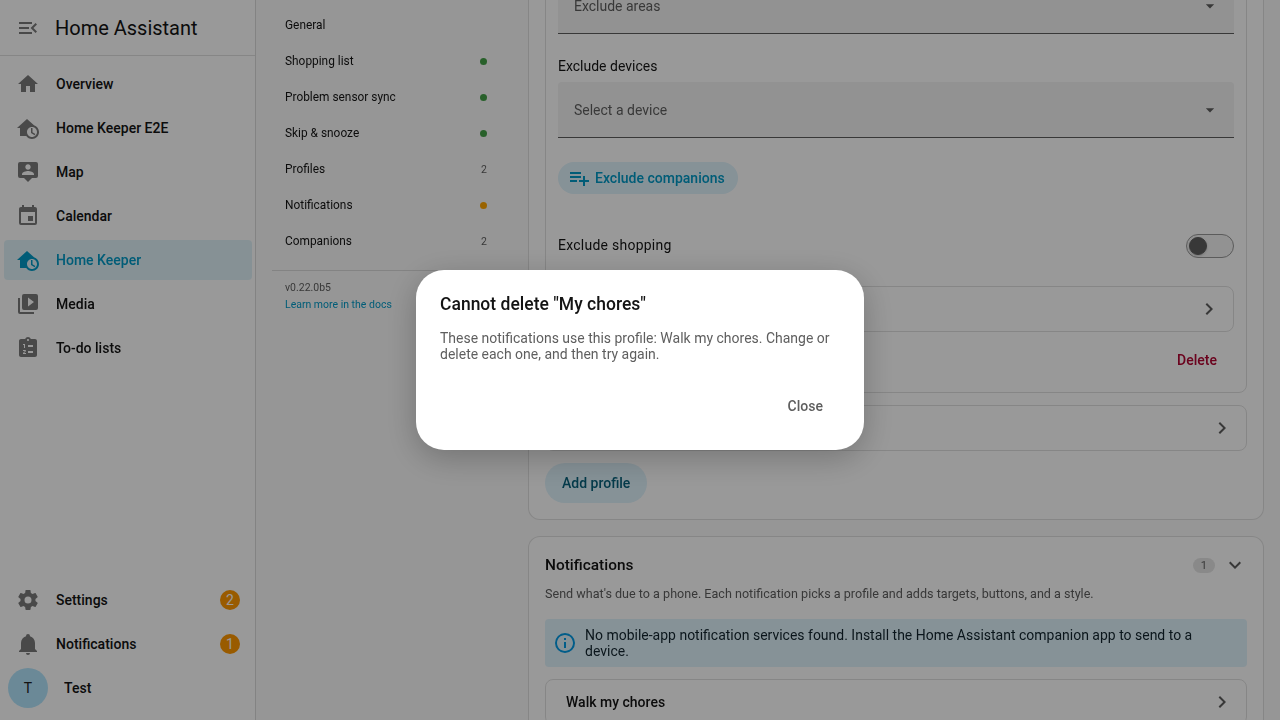
Home Keeper supports saving a filter as a Profile. A Profile has a status tier and optional label, area, device, and companion filters. Create and edit Profiles in Settings → Profiles.
A Profile is used in 4 places:
- A notification selects a Profile to designate which tasks are sent.
- A to-do list sync uses a Profile to designate which tasks are synchronized.
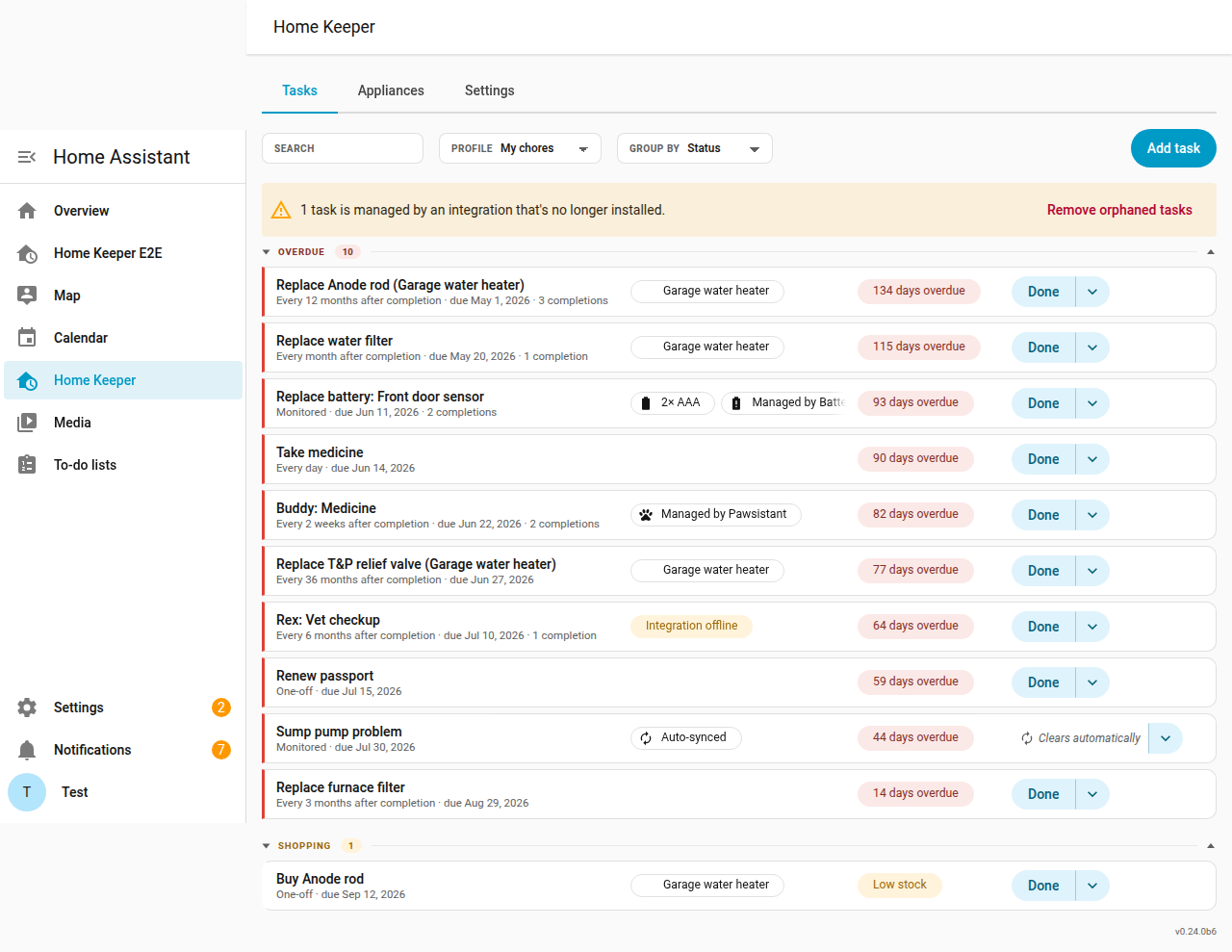
- The Profile dropdown on the Tasks tab filters the task list in the panel.
- The Filter by profile option in the card editor filters the dashboard card.
Home Keeper does not delete a Profile that a notification uses. Point those notifications at a different Profile first. You can also delete them.
Status tiers
The Include setting has 3 tiers. Each tier includes the tiers before it:
- Overdue only: overdue tasks.
- Overdue and due soon: overdue tasks and tasks that are due in the next 3 days.
- Every scheduled task: all scheduled tasks.
How filters combine
A filter can hold more than one value, and Home Keeper matches a task with any one of
them. A Labels filter set to urgent and safety selects tasks with either label. A
Profile with values in more than one filter shows only the tasks that match every one of
them. Each filter you set makes the result smaller. It never makes the result larger.
A Profile with values in both Labels and Companions does not show both groups together. It shows only the tasks that match both filters. To combine 2 groups of tasks, put both values in one filter. An example is 2 labels in Labels.
Filter by companion
A companion is an integration that creates tasks in Home Keeper. The Battery Notes glue is one example, and it raises a Replace battery task when a battery gets low. Every task a companion creates records which integration owns it, and the panel shows a Managed by chip on that task.
The Companions filter selects tasks by their owner. This makes one card per source without any manual work:
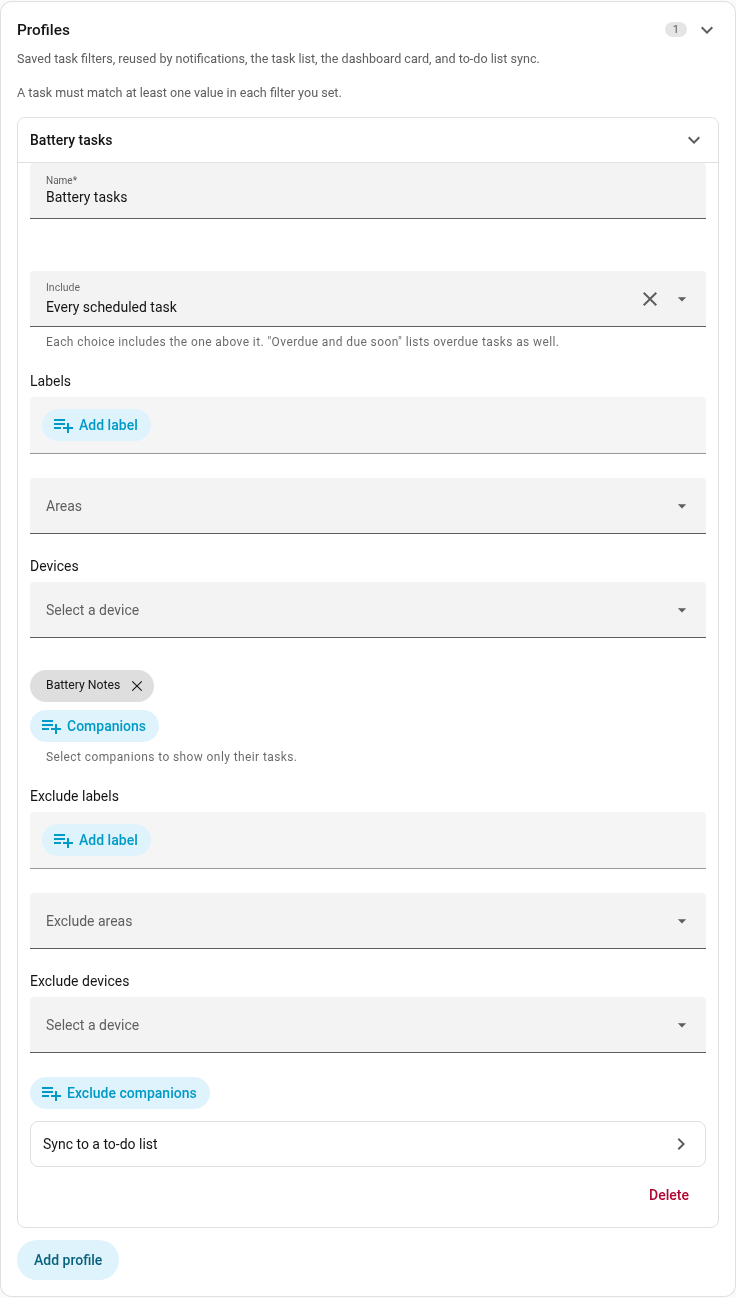
- A card of only the battery tasks. Select Battery Notes in Companions.
- A card of only the printer tasks. Select the printer glue.
- Everything except one source. Put that companion in Exclude companions.
The picker lists each connected companion, and each integration that already owns a task. A companion that is only a suggestion is not listed, because it owns no tasks.
A task you create in the panel has no companion. No integration owns it. A Companions filter does not select it and an Exclude companions filter does not remove it. Use a label filter for tasks you make yourself.
Exclusions
Exclude labels, Exclude areas, Exclude devices, and Exclude companions
remove tasks from the Profile. An exclusion takes precedence over the include filters. Nothing is removed
if the exclusion is empty. This is useful for a Profile of all tasks except the tasks with one
label, such as professional.
Exclusions apply to inherited labels and areas. A task that has the professional
label through its device or its area is also excluded.
Exclude shopping removes every auto-created "Buy {part}" task from the Profile. It is a switch and not a picker. A buy task has only the label and the area of its appliance, so a picker cannot select it. The switch is off by default, so an existing Profile includes the buy tasks until you turn it on. Use it to limit a spoken notification digest to the maintenance tasks.
Synced problem sensors
A task synced from a problem binary sensor
is included in a Profile while its sensor reports a problem. A notification for this
task shows Snooze instead of Mark done and Skip.

Task count sensors
Home Keeper gives each Profile a count sensor, and adds one more sensor for every task it keeps. Use the sensor for a dashboard badge, a gauge card, or a numeric-state trigger in an automation. You do not need a template.
The sensors are on the Home Keeper device in Settings → Devices & services.
sensor.home_keeper_taskscounts every task. Its state is the number of overdue tasks.- One sensor for each Profile. Its state is the number of tasks that Profile shows, which is set by the Profile's status tier: Overdue only counts the overdue tasks, Overdue and due soon counts both groups, and Every scheduled task counts them all.
The sensor keeps its entity id when you rename the Profile. Home Keeper removes the sensor when you delete the Profile.
Attributes
Each sensor has these attributes. They are measured over the Profile's full scope, not
over its status tier, so total keeps its meaning and the next task is named even
when the state is 0.
| Attribute | What it is |
|---|---|
total | Every enabled, scheduled task the Profile selects. |
overdue | The tasks that are at or past their due date. |
due_soon | The tasks that come due in the next 3 days, but are not yet overdue. |
due_today | The tasks that come due today, on your local date. |
next_due | The due date of the first task, as an ISO timestamp. |
next_task_name | The name of that task. |
next_task_id | The id of that task. |
most_overdue_days | The days past due for the most overdue task. It is empty if no task is overdue. |
Because due_soon does not include the overdue tasks, an Overdue and due soon
Profile has a state of overdue plus due_soon.
The counts refresh every 5 minutes, the same as the per-task Overdue sensor. A count can be a few minutes behind.
Put the overdue count on a badge
Add a badge to a dashboard and select sensor.home_keeper_tasks. To show the count of
one Profile, select that Profile's sensor.